Quick answer: The biggest cybersecurity threats today are ransomware, AI-powered phishing and deepfake scams, supply chain attacks, zero-day exploits, insecure IoT devices, credential theft and attacks on critical infrastructure. You protect your data with a short list of habits that stop most attacks: unique passwords in a password manager, phishing-resistant multi-factor authentication, prompt software updates, offline backups and a healthy suspicion of urgent messages.
This guide walks through each major threat as it looks in 2026, explains how the attacks work, gives you a hands-on way to check your own exposure, and ends with a prioritised defence checklist. If you are considering a security career, it is also the landscape employers expect you to understand.
Ransomware and double extortion
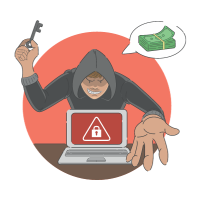
Cybercrime is now an industry: ransomware groups run affiliate programmes, brokers sell stolen VPN logins, and generative AI makes convincing phishing almost free. Ransomware itself encrypts a victim’s files and demands payment for the key. Modern groups add double extortion — stealing the data first and threatening to publish it — which defeats the “we have backups” defence.
Typical entry points are phishing emails, exposed Remote Desktop (RDP) ports, unpatched VPN appliances and stolen credentials. Hospitals, manufacturers, schools and Indian SMEs are frequent targets because downtime hurts them most.
Defence: offline or immutable backups tested regularly, patched edge devices, MFA on every remote-access path, endpoint detection and response (EDR), and network segmentation so one infected laptop cannot reach everything.
AI-powered attacks and deepfakes
Attackers use the same AI tools defenders do. Large language models write flawless, personalised phishing at scale; voice cloning impersonates a CEO or a family member on a call; deepfake video has authorised fraudulent transfers in live meetings. AI also speeds up vulnerability discovery and helps malware evade detection.
Defence: verification procedures that do not rely on voice or video alone (call back on a known number, use a pre-agreed code word for money requests), AI-based email filtering, and training staff that urgency plus secrecy equals fraud.
Phishing, smishing and MFA fatigue

Phishing remains the number one initial access method. Beyond email, attackers use SMS (“your parcel is held — pay ₹49”), WhatsApp, fake job offers, QR codes, and look-alike login pages that proxy the real site to capture one-time passwords. MFA fatigue attacks spam push notifications until the user taps “Approve” just to make it stop.
Defence: phishing-resistant MFA (FIDO2 security keys or passkeys) instead of SMS codes, number-matching for push prompts, checking the actual URL before typing credentials, and reporting suspicious messages rather than deleting them silently.
Supply chain and zero-day attacks
Why attack a thousand companies when you can compromise one vendor they all trust? SolarWinds (2020), the MOVEit file-transfer exploit (2023) and the backdoor planted in the open-source xz library (2024) all reached victims through trusted updates. Registries such as npm and PyPI see regular malicious uploads named one letter away from popular packages.
Zero-day exploits target flaws the vendor does not yet know about, so no patch exists. They are usually reserved for high-value targets, but once public they are weaponised against everyone within days.
Defence: keep a software inventory (SBOM), pin dependency versions and verify checksums, apply patches within days not months, and assume breach — monitor for unusual behaviour rather than relying only on prevention.
IoT and critical infrastructure vulnerabilities
Smart cameras, routers, printers and industrial controllers often ship with default passwords, rarely get updates, and share a network with everything else. Botnets such as Mirai hijack millions of them for DDoS attacks. The stakes rise sharply in critical infrastructure — power grids, water treatment, hospitals, railways — where operational technology was never designed to be internet-connected and 5G is multiplying connected endpoints. Our look at 5G technology and the future of connectivity explains why that expansion is both an opportunity and a risk.
Defence: change default credentials, put IoT devices on a separate VLAN or guest network, disable remote management you do not need, and buy from vendors that publish a firmware update policy.
Credential theft, infostealers and data privacy
Infostealer malware, often bundled with pirated software, harvests saved browser passwords, session cookies and crypto wallets; stolen cookies let attackers bypass MFA entirely. Every breach feeds future attacks, and India’s Digital Personal Data Protection Act now imposes real penalties on organisations that fail to protect personal data.
Hands-on: check your own exposure in Python
Two short scripts you can run today. The first checks whether a password appears in a known breach via the Have I Been Pwned k-anonymity API — only the first five characters of the SHA-1 hash leave your machine, never the password.
import hashlib
import urllib.request

def pwned_count(password: str) -> int:
    """Return how many times this password appears in known breaches."""
    sha1 = hashlib.sha1(password.encode("utf-8")).hexdigest().upper()
    prefix, suffix = sha1[:5], sha1[5:]
    url = f"https://api.pwnedpasswords.com/range/{prefix}"
    with urllib.request.urlopen(url, timeout=10) as resp:
        for line in resp.read().decode().splitlines():
            hash_suffix, count = line.split(":")
            if hash_suffix == suffix:
                return int(count)
    return 0

print(pwned_count("Password123"))   # a very large number
print(pwned_count("tkh-correct-horse-battery-2026!"))   # ideally 0
The second flags the classic signs of a phishing link: look-alike domains, raw IP addresses, punycode (internationalised) hostnames, and brand names buried in subdomains.
import re
from urllib.parse import urlparse

BRANDS = ["sbi", "hdfc", "icici", "paytm", "google", "microsoft", "amazon"]

def phishing_signals(url: str) -> list[str]:
    host = urlparse(url).hostname or ""
    flags = []
    if re.fullmatch(r"\d{1,3}(\.\d{1,3}){3}", host):
        flags.append("raw IP address instead of a domain")
    if "xn--" in host:
        flags.append("punycode host (possible look-alike characters)")
    if host.count(".") >= 3:
        flags.append("deeply nested subdomain")
    root = ".".join(host.split(".")[-2:])
    for brand in BRANDS:
        if brand in host and not root.startswith(brand):
            flags.append(f"'{brand}' appears but is not the real domain")
    if not url.startswith("https://"):
        flags.append("not HTTPS")
    return flags

print(phishing_signals("http://sbi-secure-login.verify-kyc.ru/update"))
# ["'sbi' appears but is not the real domain", 'not HTTPS']
Neither script replaces a security product, but each teaches a daily professional habit: never trust leaked credentials, and never trust a link because it contains a familiar name.
Threats and defences at a glance
| Threat | How it gets in | Most effective defence |
|---|---|---|
| Ransomware | Phishing, exposed RDP/VPN, stolen credentials | Offline backups, MFA, patching, EDR, segmentation |
| AI phishing and deepfakes | Email, calls, video meetings | Out-of-band verification, passkeys, staff training |
| Supply chain | Trusted software updates, open-source packages | SBOM, pinned versions, checksum verification, monitoring |
| Zero-day exploits | Unknown flaws in browsers, VPNs, servers | Rapid patching, least privilege, behaviour-based detection |
| IoT botnets | Default passwords, unpatched firmware | Change defaults, isolate on separate network, update |
| Infostealers | Pirated software, malicious downloads | No cracked software, EDR, password manager, re-authentication |
| MFA fatigue | Repeated push prompts | Number matching, FIDO2 keys, rate limiting |
Protecting your digital life: a prioritised checklist

- Use a password manager and a unique password for every account. Reused passwords are how one breach becomes ten.
- Turn on MFA everywhere, preferring passkeys or an authenticator app over SMS. Protect email first — it resets everything else.
- Update promptly. Enable automatic updates on your OS, browser, phone and router.
- Back up the 3-2-1 way: three copies, two media, one offline or in a separate cloud account.
- Slow down on urgency. Any message demanding immediate action about money, KYC, parcels or job offers should be verified through an official channel.
- Lock down IoT: new passwords, guest network, no remote access unless needed.
- Avoid pirated software and browser extensions you do not need — both are major infostealer vectors.
- Review account activity and connected apps quarterly; revoke what you do not recognise.
Common mistakes that undo good security
- Relying on SMS codes as “MFA done”. SIM swapping and real-time phishing proxies defeat SMS; move to app-based codes or passkeys.
- Backups connected to the network they protect. Ransomware encrypts attached backup drives too. Keep one copy offline.
- Treating awareness training as a yearly video. Phishing tactics change monthly; short, regular reminders and simulated phishing work far better.
- Ignoring “boring” devices. The printer, the NAS and the CCTV DVR are attackers’ favourite footholds precisely because nobody patches them.
- Paying the ransom as a first response. Payment funds the next attack and does not guarantee recovery or deletion of stolen data. Involve CERT-In, law enforcement and an incident response team first.
Frequently asked questions
How can I protect my IoT devices from cyberattacks?
Change every default password, keep firmware updated, disable features such as UPnP and remote management that you do not use, and put smart devices on a separate guest or IoT network so a compromised camera cannot reach your laptop.
What should I do if I fall victim to a ransomware attack?
Disconnect the affected machine from the network immediately, do not pay straight away, preserve evidence, and report to CERT-In (in India) or your national cyber-crime portal and your bank if financial data is involved. Restore from clean backups, and change all credentials that were stored on the device.
Are AI-powered security tools effective against AI-driven attacks?
Yes, and they are now essential. Machine-learning detection spots anomalous logins, exfiltration patterns and novel malware far faster than signature-based tools. But verification steps and trained people still stop the deepfake call that no filter catches.
How do I identify a phishing email or message?
Check the real sender address and the real link destination (hover, or long-press on mobile), be suspicious of urgency, and never enter credentials from a link in a message — go to the site directly. Poor spelling is no longer a reliable sign now that attackers write with AI.
Key takeaways
- Ransomware, AI-driven phishing, supply chain compromises, zero-days, IoT weaknesses and credential theft are the dominant threats in 2026.
- Attackers industrialised; defenders must too — with layered controls and the assumption that something will get through.
- A password manager, phishing-resistant MFA, automatic updates and offline backups block the vast majority of real-world attacks.
- Verification habits beat technology against deepfakes and social engineering.
Cybersecurity is one of the fastest-growing, best-paid career paths in tech, with hundreds of thousands of unfilled roles in India. If you want to defend organisations for a living, our Enterprise Cybersecurity course at Techknowledgehub covers network security, cloud security, SOC operations and incident response with hands-on labs and placement support. For free security explainers, subscribe to our YouTube channel.